

When you sell or give away real estate, the transfer of ownership of that property needs to be documented. Typically, that's done through a warranty deed, which guarantees your right to that property.
However, if you want to make a simpler transfer of ownership, you can use a Quitclaim Deed. As the name implies, you quit your claim to whatever rights you have to the property (if any exist) with no warranty or guarantee.
What Is a Quitclaim Deed?
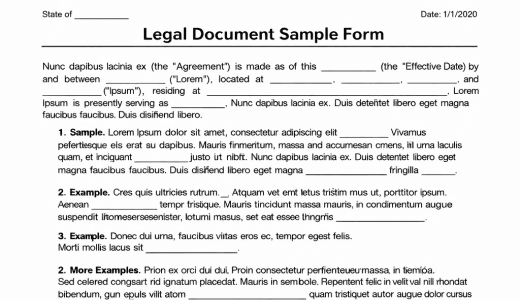
A Quitclaim Deed is a legally-binding document that transfers your ownership of a property to another person. They differ from other deeds in that they offer little protection to the purchaser of the property. They're often used to transfer ownership between family members or to amend errors on the title.
With a Quitclaim Deed, the property owner offers no guarantee of the title status of the property or any other encumbrances, such as any liens held against it. In exchange, the transfer of ownership is quicker and simpler than it otherwise would be.
Other Names for Quitclaim Deed
Depending on your state, jurisdiction, or context, a Quitclaim Deed may also be known as:
- Non-warranty Deed
- Quick Claim Deed (although this is a misspelling)
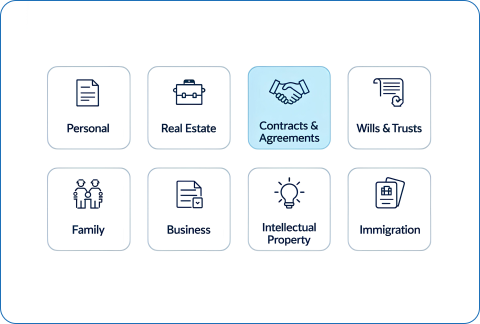
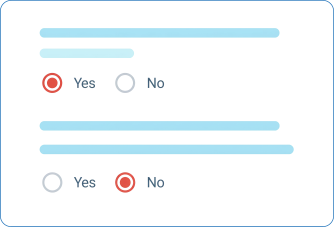
Don't worry if this sounds confusing. 360 Legal Forms' quick questionnaire process ensures you get the right form for your state every time.
Quitclaim Deed Terms
- Grantor: Person or legal entity who currently owns the property
- Grantee: Person or entity who will become the new owner
- Legal Description: A written record explaining the location of the property and its boundaries or enough information for a surveyor to determine its boundaries
- Parcel Number: A number assigned by the tax assessor to the property for identification and record-keeping; you can find this in the property tax statement
Who Needs a Quitclaim Deed?
Anyone who sells real property might need to use a Quitclaim Deed, but they aren't appropriate for every property sale. Because the Quitclaim Deed offers no guarantees about the grantor's rights to the property, it implies a degree of trust between both parties.
One of the most common uses of Quitclaim Deeds is to transfer ownership of property between family members. For example, if a parent wants to transfer property to their child, a Quitclaim Deed is appropriate because the parent is incentivized to make sure the property rights are in order.
Another typical use is to clear a cloud on the title of a property. In practical terms, this often involves an unreleased lien, claim, or other documents that make the title suspect. A Quitclaim Deed releases the interest in the property and effectively clears the title.
Additionally, if the title contains a spelling error, you can initiate a Quitclaim Deed to transfer ownership to yourself and fix the mistake.
Why Use 360 Legal Forms for Your Quitclaim Deed
Customized for you, by you
Create your own documents by answering our easy-to-understand questionnaires to get exactly what you need out of your Quitclaim Deed.
Right for your state
Each document on 360 Legal Forms is customized for your state.
Fast and easy
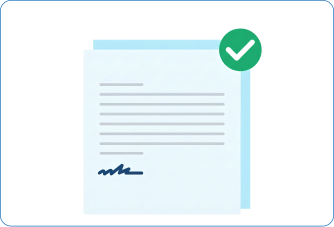
All you have to do is fill out a simple questionnaire, print, and sign. No printer? No worries. You and other parties can even sign online.
How to Create a Quitclaim Deed with 360 Legal Forms
Quitclaim Deeds are meant to be straightforward, but things can and do go wrong. You might end up making a mistake worse if they're not handled correctly. With 360 Legal Forms, you get access to attorney-vetted legal forms that give you peace of mind.
The process is fast and easy. Our proprietary form generator can help you create your customized Quitclaim Deed in a few short minutes. We'll ask a handful of simple questions. Just fill in the requested information, and we'll put it together. You can see your document being created as you go through the questions.
Once completed, simply download your form as a PDF or Word document from your secure online account.
What Information Will I Need to Create My Quitclaim Deed?
To create your document, please provide:
- Effective Date: The date the document goes into effect
- Personal Information of the Grantor: Name and address of the person transferring their right to the real estate
- Personal Information of the Grantee: Name and address of the person receiving the ownership rights
- Description of the Property: Legal description of the property being transferred; the format of this description varies by state
- Consideration: What the grantee will pay to the grantor for the property
Quitclaim Deed Signing Requirements
In most states, only the grantor needs to sign a Quitclaim Deed. Typically, a certified notary public must be present at the time of signing for the signature to be valid. If the grantee is paying for the property, it's a good idea to get their signature as well.
What to Do With Your Quitclaim Deed
After creating and signing your Quitclaim Deed with 360 Legal Forms, you can download and print as many copies as you like. A notarized copy must be filed with your local recording office to create a priority for the grantee's claim of ownership.
Related Documents
- Notarial Certificate
- Affidavit of Heirship
- Notice of Intent to Vacate
- Personal Property Rental Agreement
- Residential Lease Termination Agreement
- Gift Affidavit